
Ecommerce CRO (conversion rate optimization) is the work of raising the share of store visitors who complete a purchase. You find where shoppers drop off, figure out why, and A/B test changes against the current page instead of buying more traffic.
This guide is for store owners and ecommerce teams who want the process and the numbers in one place. The benchmarks come from our own test archive.
Last reviewed 2026-10-05 by Devon Cox, Founder and President, ConversionTeam (18+ years in CRO). The benchmark figures in this guide come from 456 audited A/B tests ConversionTeam ran for 31 ecommerce clients.
TL;DR: ecommerce CRO in one minute
Ecommerce CRO is the practice of raising the share of store visitors who buy, by researching where shoppers drop off and testing changes against the current page.
- A good ecommerce conversion rate is about 3.9%, the median across 456 audited A/B tests, with the middle half of stores between 2.2% and 7.5%.
- The funnel matters more than the single number: the same stores convert 3.1% from category pages, 4.7% from product pages, 32.0% from the cart and 37.2% at checkout.
- Start with research, then test one change at a time: our 62-point ecommerce CRO checklist shows where to look first.
Bottom Line: find the funnel stage where your store leaks, fix what’s broken, and A/B test everything else one change at a time.
Table of contents
- Ecommerce CRO by the numbers
- What is ecommerce CRO?
- What is a good ecommerce conversion rate?
- What does the ecommerce conversion funnel look like?
- What should you measure besides conversion rate?
- How does the ecommerce CRO process work?
- Which ecommerce CRO strategies work?
- What are the most common ecommerce CRO mistakes?
- How long does ecommerce CRO take, and what does it cost?
- Which ecommerce CRO tools do you need?
- What should you check on your own store first?
- How do you get started with ecommerce CRO?
- FAQ
- Related reading
Ecommerce CRO by the numbers
ConversionTeam’s ecommerce test archive, as of 2026. Every figure is first-party; the method is on the ecommerce conversion rates page.
| Measure | Value |
|---|---|
| Audited ecommerce A/B tests | 456, across 31 clients |
| Median site-level conversion rate | 3.9% |
| Middle half of stores | 2.2% to 7.5% |
| Median conversion rate: product page / cart / checkout | 4.7% / 32.0% / 37.2% |
| Median lift on tests that reached significance | 7.1% |
| Median winning lift on category pages | 9.6% (23 tests) |
| Median winning lift on product pages | 6.6% (30 tests) |
| Desktop vs mobile, same test | Desktop higher in 72% of tests, by a median 1.52x |
| Returning vs new shoppers | 7.0% vs 4.4% |
| Email vs organic search traffic | 6.0% vs 2.4% |
| Program-level A/B test win rate, all clients | 61.1% |
What is ecommerce CRO?
Ecommerce CRO is the work of increasing the percentage of store visitors who complete a purchase, using research and A/B testing instead of more traffic.
It also goes by ecommerce conversion optimization and ecommerce conversion rate optimization. All three names mean the same work.
The conversion that counts is the order. Everything else a shopper does on the way is a step toward it:
- Macro conversion: a completed purchase. This is what an ecommerce conversion rate measures, and it is what every benchmark in this guide counts.
- Micro conversions: the steps that lead there, such as adding to cart, starting checkout, signing up for email, or creating an account. Track them, because they tell you where the funnel breaks, but don’t report them as your conversion rate.
The formula is orders divided by visitors, times 100. A store with 40 orders from 1,000 visitors converts at 4%. Google Analytics 4 can report the rate per session or per user. A shopper who visits three times before buying counts as three sessions and one user, so the session rate reads lower. Pick one and use it every time you compare.
Two terms get mixed up with it:
- Conversion rate vs click-through rate: click-through rate is clicks divided by impressions, for an ad, an email or a search result. Conversion rate is purchases divided by visitors once they arrive.
- CRO vs SEO: SEO brings shoppers to the store. CRO raises the share of them who buy. A store doing both gets more visitors and a higher share of them buying.
Going from 2% to 3% is 50% more orders from the traffic you already pay for.
What is a good ecommerce conversion rate?
Around 3.9%. Across 456 audited A/B tests for 31 ecommerce clients, the median was 3.9%, with the middle half of stores between 2.2% and 7.5%.
Those figures are from our own test archive, published in full on the ecommerce conversion rates page. Three cuts from the same data help when you compare your own store:
- Device: on tests measured on both, desktop converted higher than mobile in 72% of cases, by a median 1.52x.
- Visitor type: returning shoppers converted at 7.0%, new shoppers at 4.4%.
- Traffic source: email (6.0%) and direct (5.9%) converted best. Organic search was lowest at 2.4%.
Every store in that data was running a testing program, so read 3.9% as what an optimized store does.
Industry moves the number a lot. Here are the same six industries we use in our overall conversion rate benchmarks:
| Industry | Median conversion rate | Normal range | Tests |
|---|---|---|---|
| Business services & supplies | 12.6% | 8.7% - 16.0% | 49 |
| Healthcare | 5.9% | 4.5% - 10.9% | 83 |
| Fashion & apparel | 3.2% | 2.1% - 5.5% | 127 |
| Technology | 2.4% | 1.8% - 3.0% | 93 |
| Home & garden | 2.0% | 1.3% - 3.9% | 37 |
| Food & travel | 1.8% | 0.6% - 4.7% | 23 |
Read the rows with fewer tests as directional.
Two questions come up a lot:
- Is a 2.5% conversion rate good? It is inside the normal 2.2% to 7.5% range and below the 3.9% median. A store that gets most of its traffic from organic search can sit there and be healthy, since organic converted 2.4% in our data.
- Is a 12% conversion rate good? It is above the top quarter of stores, which starts at 7.5%. That usually means a lot of returning or email traffic, or a business-supplies catalog where people reorder. Check what the rate divides by before you celebrate.
What does the ecommerce conversion funnel look like?
The ecommerce funnel runs from landing to paying: homepage or category page, product page, cart, then checkout. Each step is a smaller, warmer group.
Here is what each stage converts at in our test data. The rate is the share of visitors at that stage who went on to buy.
| Funnel stage | Median conversion rate | Tests |
|---|---|---|
| Homepage | 5.1% | 71 |
| Category / listing pages | 3.1% | 104 |
| Product pages | 4.7% | 167 |
| Cart page | 32.0% | 50 |
| Checkout | 37.2% | 27 |
| Sitewide | 3.2% | 105 |
Read the cart and checkout rows differently from the rest. A 32.0% cart rate means 32.0% of shoppers who already built a cart bought in that session. The other 68% left with items in the cart. And don’t read the first rows as a sequence: each stage is its own set of tests, run on different stores.
Use the table to find where to work. Pull your own rate at each stage and compare. A store at 4% sitewide with a 15% cart page has a cart and checkout problem. A store with a strong cart rate and a weak product page rate has a product page problem, and more traffic won’t fix either one.
Each stage has its own guide: product listing pages, product detail pages, and the cart and checkout items in our 62-point checklist.
What should you measure besides conversion rate?
Revenue per visitor, average order value, add-to-cart rate, cart abandonment and checkout completion. Conversion rate alone hides changes in what people spend.
| Metric and formula | Why it matters |
|---|---|
| Revenue per visitor: revenue / visitors | Combines conversion rate and order value. A test that sells more orders at lower value can lose on this. |
| Average order value: revenue / orders | Moves with bundles, cross-sells, free shipping thresholds and discounts. |
| Add-to-cart rate: visitors who add to cart / visitors | Shows whether product and category pages persuade. |
| Cart abandonment rate: 1 - (orders / carts created) | Shows cart and checkout friction. Baymard Institute puts the documented average at 70.22%. |
| Checkout completion rate: orders / checkouts started | Isolates the checkout from the cart. |
Cut every one of these by device, new vs returning visitors, and traffic source. A sitewide average hides most of what you need to see.
How does the ecommerce CRO process work?
Five steps: research where shoppers drop off, write a hypothesis, prioritize the ideas, run an A/B test, and learn from the result.
Step 1: Research where shoppers drop off
Research decides what you test. Four sources do most of the work:
- Analytics: build a funnel exploration in GA4 from product view to add to cart, checkout and purchase. Make sure every step is marked as a key event and fires. Then split each step by device and browser. A step that collapses on one browser is a bug, and you fix bugs without testing.
- Heatmaps and session recordings: run them on the pages where the funnel drops. Watch for rage clicks, shoppers hunting for shipping costs, filters that get ignored, and forms people abandon halfway.
- Polls: one question at the right moment beats a long survey. Good ones: “What’s the one thing that almost stopped you from purchasing today?” right after purchase, “What were you looking for that you couldn’t find?” on an exit from a category page, and “Is anything stopping you from checking out?” on the cart.
- User testing: give five to eight people a realistic shopping task on your store, then the same task on a competitor’s store. They explain the friction on your site much more clearly once they have felt a smoother path somewhere else.
Step 2: Write a hypothesis
A hypothesis ties a change to the evidence behind it and the metric it should move. A simple template:
Because we saw [evidence], we believe [change] for [audience] will raise [metric] on [page].
Here is one of our published tests in that shape. A premium apparel brand’s product pages showed item details and recommendations with nothing about the brand behind them. We believed a heritage and craftsmanship section below the recommendations would justify the price and lift purchases. It lifted conversion rate 18.0% and revenue 12.7% at 99% confidence.
Step 3: Prioritize
You will have more ideas than test slots, so score them. We use a framework we call SCORE: impact, effort and strength of evidence. Two common frameworks do the same job: PIE (potential, importance, ease) and ICE (impact, confidence, ease).
An example for a store whose cart page converts 15%. Each idea gets 1 to 5 on impact, evidence and ease (5 = easy to build), and the three add up to the score:
| Idea | Impact / evidence / ease | Score |
|---|---|---|
| Shipping cost on the cart | 5 / 5 / 4 | 14 |
| Reviews on product pages | 4 / 3 / 3 | 10 |
| New homepage hero | 2 / 1 / 2 | 5 |
The shipping cost idea wins because the funnel data, the recordings and the poll all point at it. The homepage idea loses because nothing in the research points at the homepage.
Step 4: Run the A/B test
An A/B test splits traffic between the current page and a changed version and compares purchases. The rules that keep the result reliable:
- Calculate the sample size before launch and run until you reach it.
- Run whole weeks, at least two. Weekday and weekend shoppers behave differently.
- Don’t stop the first time the tool shows significance. Early peeks call a lot of false winners.
- Tests on different pages can run at the same time. Two tests on the same page and the same shoppers should not overlap unless your tool keeps their audiences separate.
- If a page can’t reach the sample size in about four weeks, test a bigger change or test a page with more traffic.
Expect losses. About half of our tests win outright and about one in five reach statistical significance, and our program-level win rate is 61.1%. Across the 456 ecommerce tests in this guide, the median lift on tests that reached statistical significance was 7.1%.
Step 5: Learn and iterate
A losing test usually shows you what the next version should be, so iterate on it before you move on. Record what you tested, what happened and what you learned. After a year, that log is a record of what your shoppers respond to.
Which ecommerce CRO strategies work?
The ones aimed at the stage where your store leaks. Winning tests lifted category pages a median 9.6% and product pages 6.6% in our data.
In our data, the median lift was 9.6% on category pages and 6.6% on product pages when a test won, from 23 category page tests and 30 product page tests that reached statistical significance. Below are the ecommerce conversion rate optimization strategies we test, grouped by funnel stage, with our published case studies where we have one.
Product pages
- Reviews and ratings near the price and the add-to-cart button: Northwestern’s Spiegel Research Center (2017) found a product with five reviews is 270% more likely to be purchased than one with none.
- Images and video: multiple angles, zoom that works on a phone, the product in use, and a short video for anything people need to see moving.
- Copy that answers the buying questions: size, fit, materials, compatibility, what’s in the box. Add brand context when the price needs justifying. A premium apparel brand’s heritage section lifted revenue 12.7%.
- Delivery date and returns next to the buy button: shoppers want to know when it arrives and what happens if it’s wrong before they commit.
- Cross-sells: show related products that complete the purchase. A gift card marketplace lifted conversion rate 6.6% and revenue 12.0% by changing how its cross-sells were shown.
More in our product page guide.
Category pages, navigation and search
- Filters that match how shoppers choose: size, price, color, use case, whatever your shoppers filter by in recordings and site search.
- Merchandising: curated collections at the top of the page. A luxury apparel brand lifted conversion rate 7.1% with curated collections on its New Arrivals pages.
- Loading more products: A medical accessories retailer lifted conversion rate 8.6% at 99% confidence with infinite scroll on category pages.
- Search: pull your top 20 site searches and check what comes back. Zero-result searches are lost orders.
More in our category page guide.
Cart and checkout
Baymard’s 2026 survey of US shoppers lists why people abandon a checkout. Leaving out the people who were only browsing, the top reasons were:
| Reason for abandoning | Share of shoppers |
|---|---|
| Extra costs too high (shipping, tax, fees) | 40% |
| Delivery was too slow | 20% |
| Didn’t trust the site with card details | 19% |
| Had to create an account | 18% |
| Checkout too long or complicated | 17% |
| Site had errors or crashed | 17% |
Source: Baymard Institute.
What to test against that list:
- Show costs early: shipping and tax on the cart page, and a free shipping threshold if your margins allow one.
- Guest checkout and express payment: offer account creation after the order. Put Shop Pay, Apple Pay, Google Pay or PayPal at the top of checkout.
- Strip the checkout header: A gift card retailer cut its checkout header down to the logo and a sign-in link and lifted conversion rate 4.9% and revenue 18% at 99% confidence.
- Fewer form fields: Baymard’s checkout research puts the average US checkout at 23.48 form elements, against 12 to 14 for an ideal flow.
- Placement of terms, policies and reassurance: A home furnishings retailer lifted revenue 7.4% by changing where its checkout terms and conditions appeared.
- Trust signals at the payment step: security, returns and guarantee messages near the card fields.
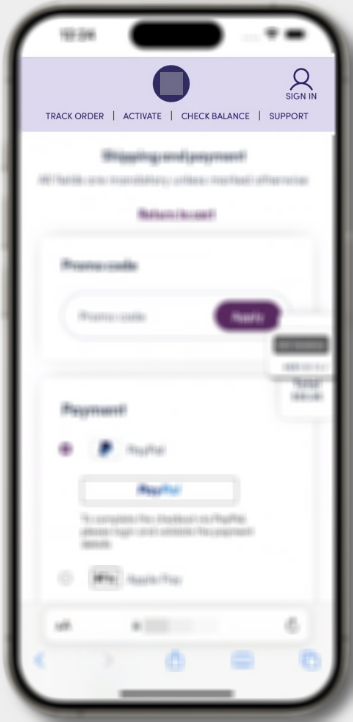
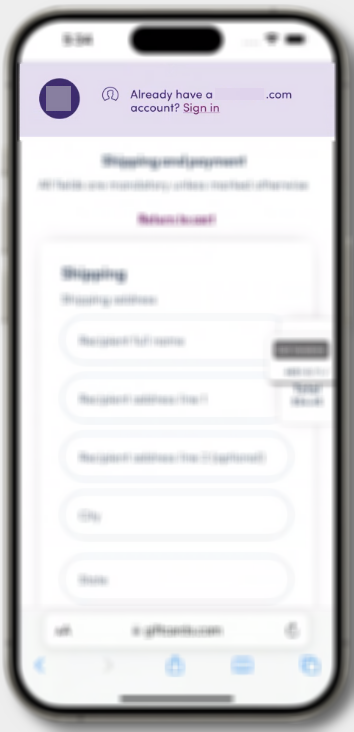
If you’re on Shopify, apps can only customize the information, shipping and payment steps of checkout on Shopify Plus. On other plans most of this work happens on the cart page.
Mobile
Desktop converted higher than mobile in 72% of our paired tests. Mobile is where people research, so measure mobile against its own last quarter.
- Make product pages easy to research on a phone: images that swipe, specs that don’t hide behind tabs, reviews you can read without zooming.
- Capture the email so the shopper can finish on a laptop later.
- Keep the cart one tap away. A premium furniture retailer lifted conversion rate 5.9% and revenue 5% at 98% confidence with a persistent cart banner on mobile.
Site speed
Google’s Core Web Vitals set the bar: the main content should load within 2.5 seconds (LCP), the page should respond to a tap within 200 milliseconds (INP), and layout shift should stay at 0.1 or less (CLS). Check your field data in PageSpeed Insights or the Core Web Vitals report in Search Console. Fix the product and category templates first, since that’s where most shopping happens.
Personalization and urgency
- Treat new and returning shoppers differently: returning shoppers converted at 7.0% and new shoppers at 4.4% in our data. Recently viewed items and reorder shortcuts help the first group. Bestsellers, reviews and a clear reason to trust you help the second.
- AI recommendations and search: test them against your current setup like any other change. Vendor case studies report their best customers.
- Use real urgency only: real stock levels and real delivery cutoffs (“order by 2pm for delivery Friday”) help. Countdown timers that reset on reload cost you trust.
What are the most common ecommerce CRO mistakes?
Testing without research, stopping tests early, copying competitors, comparing against the wrong benchmark and judging tests on conversion rate alone.
- Testing ideas nobody researched: A test backed by analytics, recordings or user testing wins more often than one that started as an opinion.
- Stopping at the first sign of significance: run to the sample size you set and whole weeks. Early winners often fade.
- Copying a competitor’s page: you can see what they shipped, but you can’t see whether it won.
- Comparing the wrong denominator: A cart page rate, an email-only rate and a sitewide rate are three different numbers. Compare like with like.
- Expecting mobile to match desktop: chase mobile improvement over time instead.
- Redesigning instead of testing: A full redesign changes everything at once, so when the numbers move you can’t tell why.
- Ignoring revenue per visitor: A discount can raise conversion rate and lose money.
How long does ecommerce CRO take, and what does it cost?
A test runs two to four weeks; a program builds over months. Research tools can be free. Testing tools and outside help cost money.
Time:
- A test runs at least two full weeks, longer on low-traffic pages.
- We plan programs 90 days at a time. Over four-plus years of those cycles, a jewelry retailer added $14MM+ in incremental revenue. A house plans marketplace added $5MM+ from 9 winning tests.
- Expect a realistic winner to move its metric 5% to 10%. Those wins stack test after test.
Cost:
- Research tools: GA4 and Microsoft Clarity are free.
- Testing tools: commercial A/B testing platforms commonly run $500 to $3,500 a month. Our Nantu testing platform is free and open source.
- A professional audit: a CRO audit by a specialist typically costs $1,500 to $10,000 depending on scope.
- An ongoing program: in-house means analyst, designer and developer time. With an agency it’s a monthly retainer. Our guide to what a CRO expert does covers what to look for.
Which ecommerce CRO tools do you need?
An analytics tool, a heatmap and recording tool, a way to ask shoppers questions, a user testing panel and an A/B testing platform.
| Job | Tools | Cost |
|---|---|---|
| Analytics and funnels | Google Analytics 4 | Free |
| Heatmaps and session recordings | Microsoft Clarity, Hotjar | Clarity free; Hotjar has a free plan and paid tiers |
| On-site polls | Hotjar surveys or a similar poll tool | Free and paid plans |
| User testing | A panel such as Trymata or UserTesting | Paid per tester or by subscription |
| Site speed | PageSpeed Insights, Search Console’s Core Web Vitals report | Free |
| A/B testing | Nantu, or a commercial platform | Nantu free; commercial platforms commonly $500 to $3,500 a month |
What should you check on your own store first?
Start with the pages every shopper passes through: homepage, category pages, product pages, cart and checkout. Then confirm your analytics records each step.
Ten checks to run this week:
- Every funnel step (product view, add to cart, begin checkout, purchase) fires as an event in GA4.
- Conversion rate by browser and device: look for one that collapses.
- Shipping cost is visible before checkout.
- Guest checkout is available.
- Reviews show near the price on product pages.
- Product images zoom and swipe on a phone.
- Category filters match how your shoppers choose.
- Your top 20 site searches return the right products.
- The returns policy is one click from the buy button.
- Express payment options show at the top of checkout.
Our 62-point ecommerce CRO checklist is the full version of what we inspect in an audit, grouped the way the funnel runs. If your store is on Shopify, the same page has a Shopify section. For the process behind an audit, see our guide to running a CRO audit.
A checklist finds the gaps any store can have. It can’t tell you which gap costs you the most. That takes your own analytics, session recordings and user testing.
How do you get started with ecommerce CRO?
Pick one funnel stage where your rate is below the benchmark, research why shoppers leave there, and run one test at a time.
Most teams run out of testing capacity before they run out of ideas. If you’d rather have a team run it, CRO agencies compare on test volume, win rates and pricing in our review of the best ecommerce CRO agencies. To see where your own store is losing sales, start with our ecommerce CRO services and a free audit.
If your store runs on Shopify, see how to A/B test a Shopify store and Shopify speed optimization. Our Shopify CRO agency page covers how we run audits and testing for Shopify stores.
FAQ
What is ecommerce CRO?
Ecommerce CRO (conversion rate optimization) is the work of increasing the percentage of store visitors who complete a purchase. It uses research, such as analytics, polls, session recordings and user testing, to find where shoppers drop off, then A/B tests changes against the current page.
What is a good ecommerce conversion rate?
Around 3.9%. Across 456 audited A/B tests for 31 ecommerce clients, the median site-level conversion rate was 3.9%, and the middle half of stores ran between 2.2% and 7.5%. Those are stores with an active testing program.
Is a 2.5% conversion rate good for ecommerce?
It is inside the normal range of 2.2% to 7.5% but below the 3.9% median. Stores that get most of their traffic from organic search often sit there, since organic search converted 2.4% in ConversionTeam’s data.
What is the ecommerce conversion funnel?
It is the path from arriving at a store to paying: homepage or category page, product page, cart, checkout. In ConversionTeam’s test data the median conversion rate is 3.1% from category pages, 4.7% from product pages, 32.0% from the cart page and 37.2% at checkout.
How do you increase ecommerce conversion rate?
Find the funnel stage where your store leaks, research why shoppers leave there, and A/B test changes one at a time. The common fixes are showing costs early, guest checkout and express payment, reviews near the price, better product images and filters, and a mobile experience built for research.
How long should an ecommerce A/B test run?
At least two full weeks, and until it reaches the sample size you calculated before launch. Stopping the first time the tool shows significance calls a lot of false winners.
What is the difference between conversion rate and click-through rate?
Click-through rate is clicks divided by impressions, for an ad, email or search result. Conversion rate is purchases divided by visitors once they reach the store.
What is the difference between CRO and SEO?
SEO brings more shoppers to the store. CRO raises the share of those shoppers who buy. They work on the same visitors at different points.
How much does ecommerce CRO cost?
Research tools such as GA4 and Microsoft Clarity are free. Commercial A/B testing platforms commonly run $500 to $3,500 a month, and a professional CRO audit typically costs $1,500 to $10,000 depending on scope.
How long does ecommerce CRO take to show results?
A single test takes two to four weeks or more. Programs are usually planned 90 days at a time, and a realistic winning test moves its metric 5% to 10%, so results build over several months.
Does ecommerce CRO work on Shopify?
Yes. The process is the same. The difference is checkout: Shopify only lets apps customize the information, shipping and payment steps on Shopify Plus, so on other plans most testing happens on category pages, product pages and the cart.
What is the difference between ecommerce CRO and a CRO audit?
A CRO audit is the research step done once, in depth: analytics, user testing, polls, session recordings and competitive review, ending in a prioritized list of fixes. Ecommerce CRO is the ongoing program of testing that follows.
Related reading
- Ecommerce conversion rates - the full 456-test benchmark, by funnel stage, device, visitor type, channel and industry.
- Conversion rate statistics - conversion rate benchmarks across ecommerce, lead generation, SaaS and subscription.
- A/B test win rate - how often tests win, by definition, element, industry and business model, across all our audited tests.
- Conversion rate calculator - work out your own rate and compare it with the benchmarks.
- How to run a CRO audit - the research process behind a testing roadmap.
- Product page best practices and category page best practices - stage-by-stage guides.
- 62-point ecommerce CRO checklist - the inspection list we use in an audit.
- Shopify CRO guide - what changes when the store runs on Shopify, page by page.
About the author
Devon Cox is the Founder and President of ConversionTeam, with 18+ years in conversion rate optimization. ConversionTeam has run 8,000+ A/B tests, with a 61.1% program win rate. He holds a B.S. from Boston College and an MBA from the University of Colorado Boulder. More about Devon.